
The Pre-Work App: Task and Project Management Platform
designed to scale you from individual contributors or small business to Fortune 500 enterprises.
Mission Statement
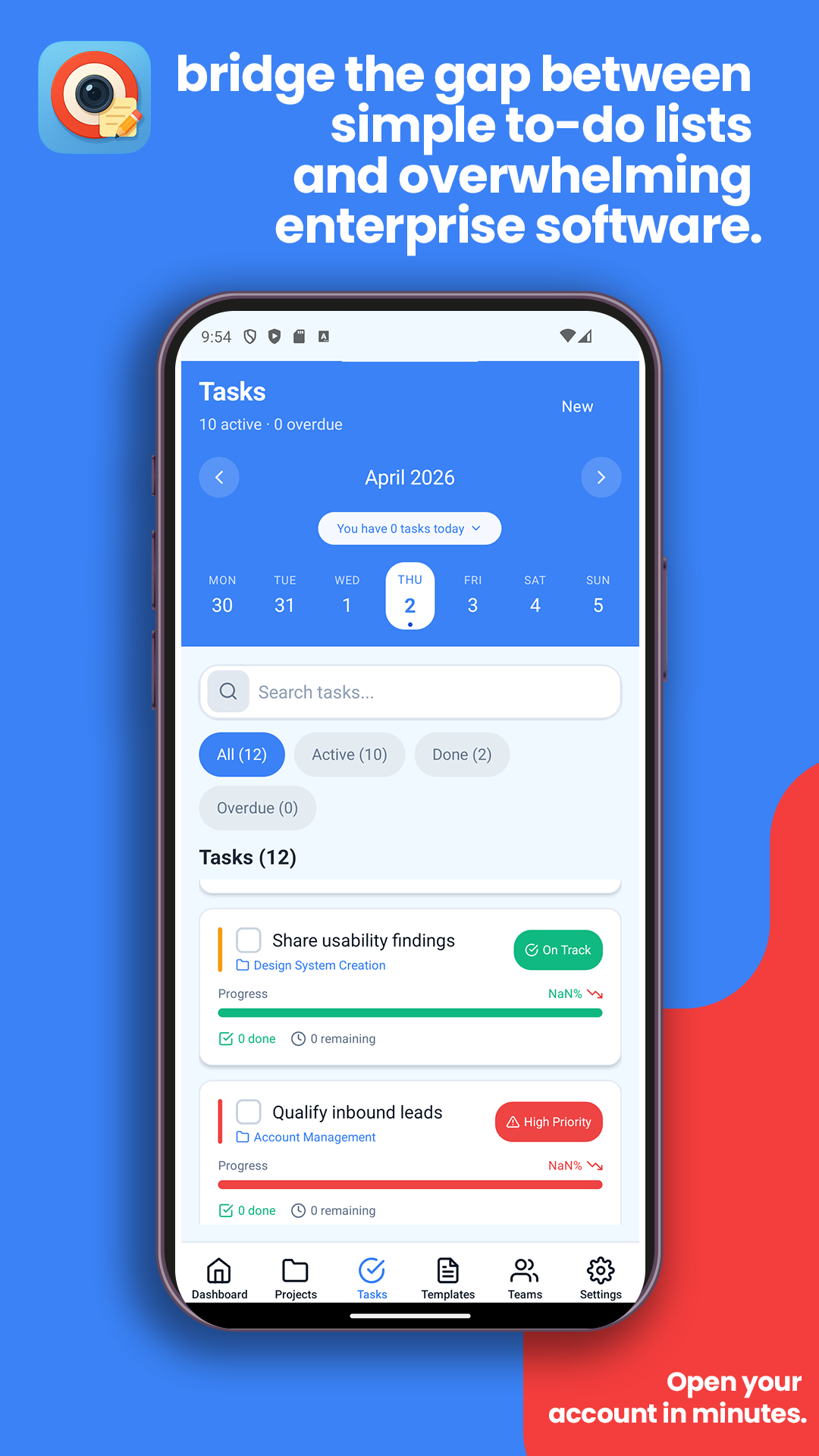
The Pre-Work App is a comprehensive project management and task orchestration platform designed to bridge the gap between simple to-do lists and overwhelming enterprise software. With a mobile-first approach and intelligent tier-based subscription system, we provide just the right amount of structure for teams to succeed.
Pre Work App helps small service businesses run the work before the work. Instead of juggling notes, texts, photos, and memory, owners get one workflow for pre-bid prep, site assessment, estimate planning, crew handoff, and job execution.
This is not positioned as just another generic task app. It is built for real field operations where teams must capture details early, price jobs accurately, and start each project prepared.
See It In Action
Watch how the Pre-Work App transforms the way you manage tasks and projects
Pre-Work App Promo Video
See how Pre-Work streamlines your entire workflow
More videos dropping soon — stay tuned!
More Videos Coming
Feature walkthroughs and tips on the way
More videos dropping soon — stay tuned!
More Videos Coming
Team collaboration and enterprise features
Everything you need to stay organized
Seamlessly sync across all your devices with cloud backup
Smart Calendar
Sync with Google Calendar, Outlook, and Apple Calendar automatically
Task Management
Create, organize, and complete tasks with powerful reminders
Projects
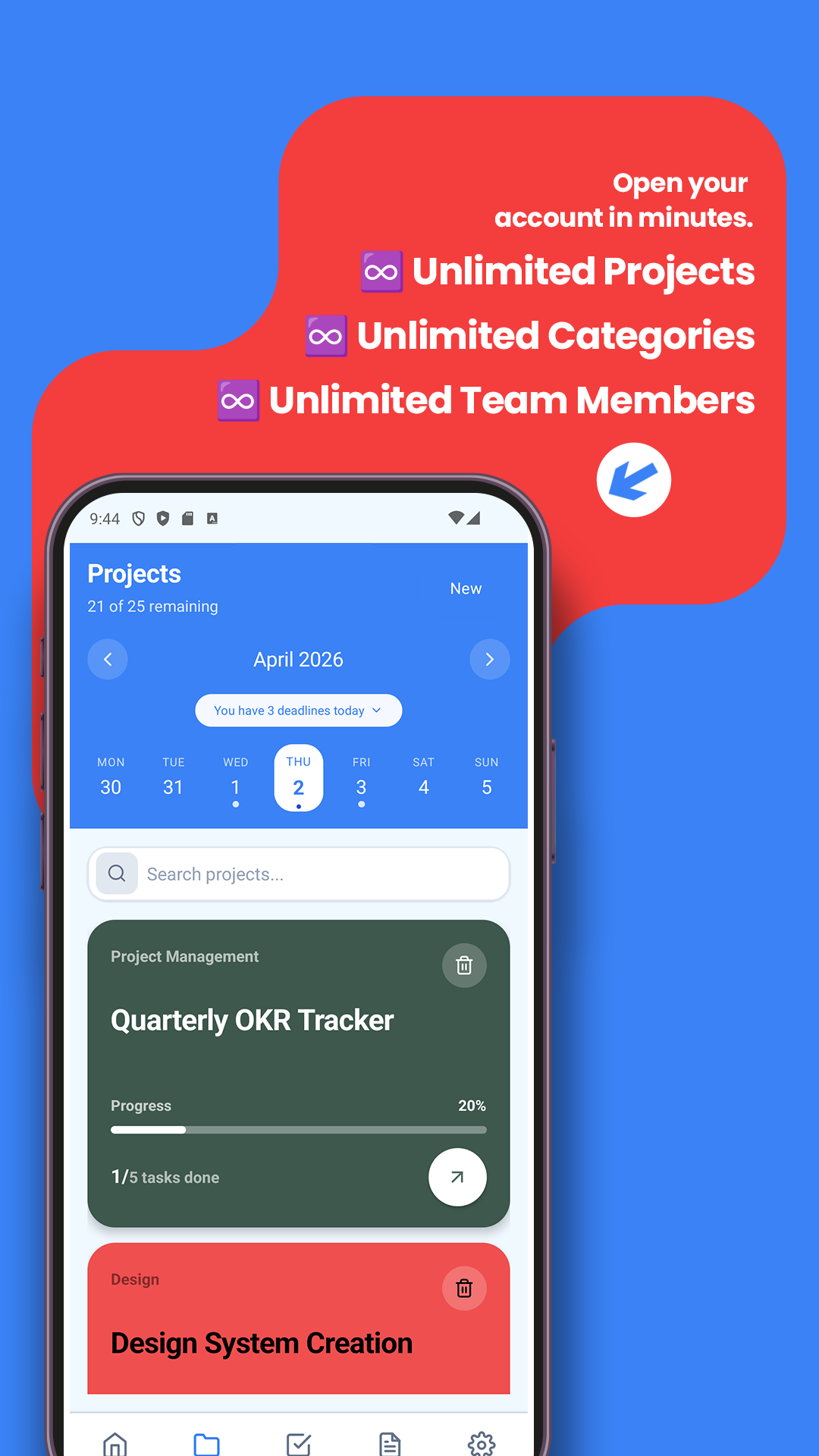
Create, organize, and manage projects in one place with clear progress visibility
Analytics Dashboard
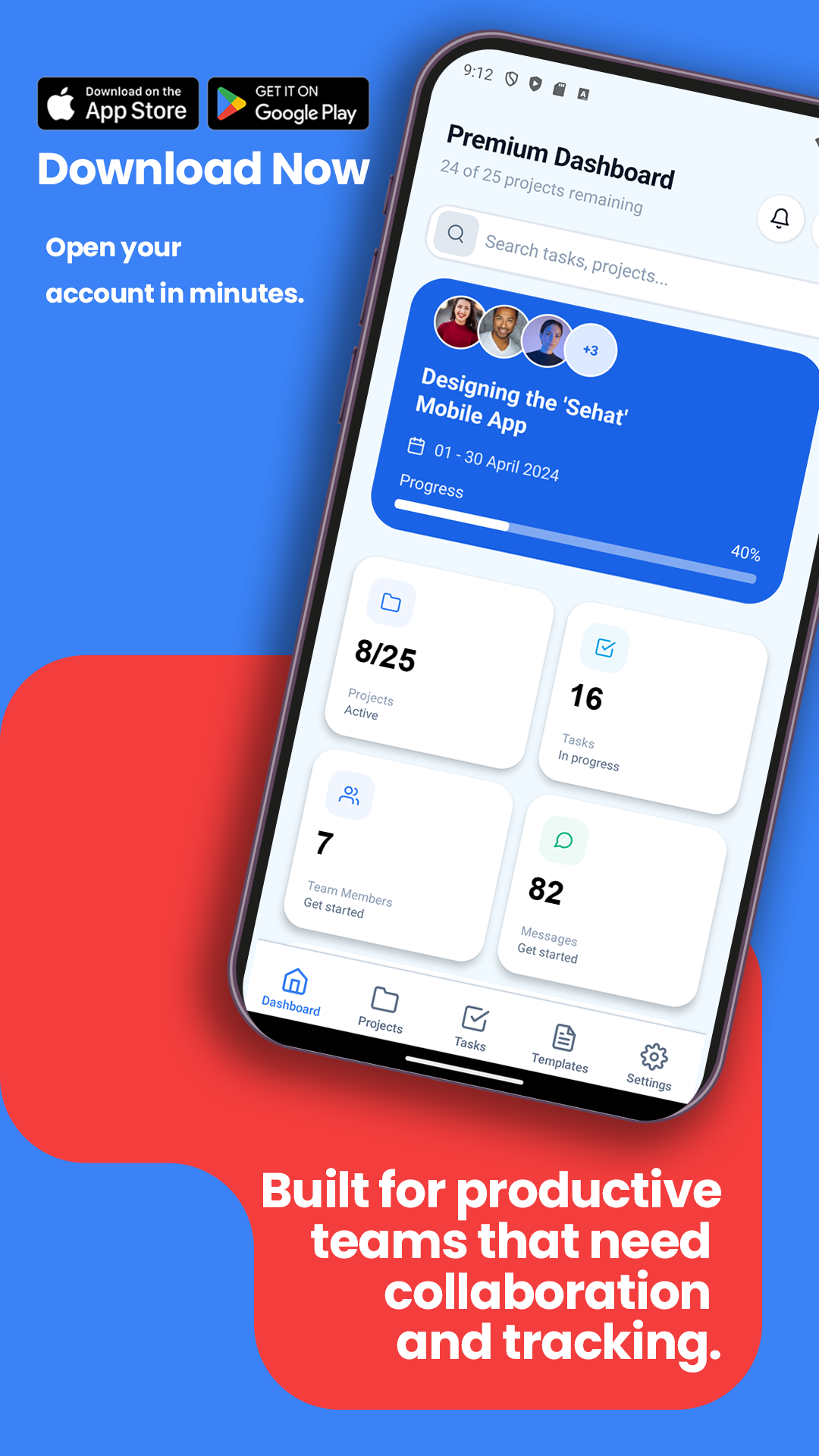
Track your productivity with beautiful charts and insights
Goals & Streaks
Stay motivated with daily goals and completion streaks
Pre-Made Templates
Start faster with pre-made templates built for real workflows across industries
Choose Your Plan
Start free, upgrade when you're ready. No credit card required.
Free
Perfect for individuals getting started
- ✅ 5 Projects
- ✅ 3 Categories
- ✅ 10 Templates
- ✅ Unlimited Tasks
- ✅ Mobile & Web Access
- ✅ Activity Tracking
- ✅ Search & Filter
- ✅ Offline Mode
Premium
For productive teams that need collaboration
- ✅ 25 Projects
- ✅ 20 Categories
- ✅ 73 Templates
- ✅ Unlimited Tasks & Length
- ✅ 10 Team Members
- ✅ Time Tracking (4hr/day)
- ✅ Calendar Sync
- ✅ Team Messaging
- ✅ Analytics Dashboard
- ✅ Bulk Operations
- ✅ Achievements & Badges
- ✅ Photo Attachments
Enterprise
Advanced management for growing organizations
- ✅ Unlimited Projects
- ✅ Unlimited Categories
- ✅ 100+ Templates
- ✅ Unlimited Everything
- ✅ 30 Team Members
- ✅ Unlimited Time Tracking
- ✅ Custom Workflows
- ✅ Advanced Reporting
- ✅ API Access
- ✅ White Label Options
- ✅ Priority Support
- ✅ Custom Integrations
💡 All plans include cloud sync, offline mode, and access to iOS, Android & Web apps
Premium Features Showcase
Advanced tools designed for productive teams and growing businesses
Calendar Integration
Full calendar view with Google Calendar sync and task scheduling
Team Collaboration
Task assignments, messaging, and team management for up to 10 members
Advanced Analytics
Portfolio health scores, task completion trends, and team insights
8 Key Features for Productivity
Powerful tools that scale from individuals to enterprise teams
Time Tracking
Daily caps & task timers
Calendar Sync
Google Calendar integration
Team Assignment
Task delegation & messaging
Analytics Dashboard
Portfolio health & trends
Achievement System
Badges, XP & gamification
Task Subtasks
Break down complex tasks
Overdue Management
Priority sorting & alerts
Encrypted Messaging
Secure team communication
Built for Real Businesses
See how teams across industries use Pre-Work App to stay organized and productive
Construction & Trades
Construction crews and tradespeople replace paper logs with mobile-first project management that works offline at job sites.
Site Documentation: Photo workflows for before/during/after progress tracking
Subcontractor Management: Role-based access and task assignments
Time Tracking: Job costing and billing accuracy
Field Services
HVAC, plumbing, and service technicians manage daily routes, emergency calls, and client work with offline-capable tools.
Dispatch & Routing: Daily routes as projects with client appointments as tasks
Proof of Service: Photo verification and job history tracking
Emergency Response: Real-time priority updates and notifications
Healthcare & Logistics
Medical logistics and healthcare teams coordinate patient care, equipment tracking, and supply chain management.
Patient Care Coordination: Treatment schedules and care team assignments
Equipment Tracking: Medical device maintenance and compliance checklists
Supply Chain: Inventory management and restocking workflows
Professional Services
Consultants, agencies, and service firms manage client projects, deadlines, and team collaboration efficiently.
Client Project Management: Multi-client portfolios with progress tracking
Team Collaboration: Secure messaging and file sharing with clients
Time & Billing: Accurate time tracking for client billing and profitability
Education & Training
Educational institutions and training programs organize curriculum delivery, student progress, and administrative workflows.
Curriculum Management: Course planning and lesson sequencing
Student Progress: Assignment tracking and milestone achievements
Administrative Workflows: Compliance checklists and reporting
Manufacturing & Operations
Manufacturing teams coordinate production schedules, quality control, and maintenance operations with precision.
Production Scheduling: Workflow management and bottleneck identification
Quality Control: Inspection checklists and compliance tracking
Maintenance Operations: Equipment servicing and preventive maintenance
Join thousands of teams already using Pre-Work App to transform their operations
See Pricing PlansHow We Stack Up Against Competitors
A side-by-side view of where Pre-Work App delivers the most value
🆚 vs. Monday.com
| Criteria | Pre Work App | Monday.com |
|---|---|---|
| Mobile Experience | ✓ Native React Native, offline-first | ⚠️ Web-responsive, limited offline |
| Pricing (10 users) | ✓ $9.99/month | $390-790/month ($39-79/user) |
| Time Tracking | ✓ Built-in with daily caps | ⚠️ Requires integrations |
| Setup Time | ✓ <5 minutes | ⚠️ 1-2 hours (complex) |
| Learning Curve | ✓ Intuitive mobile UI | ⚠️ Steep (many features) |
🆚 vs. Trello
| Criteria | Pre Work App | Trello |
|---|---|---|
| Kanban Boards | ❌ Planned Q2 2026 | ✓ Core feature |
| Mobile Experience | ✓ Native app, offline-first | ⚠️ Mobile app exists, web-centric |
| Pricing (10 users) | ✓ $9.99/month | $500-1,750/month |
| Time Tracking | ✓ Built-in | ❌ Requires Power-Ups |
| Team Messaging | ✓ Built-in chat | ❌ Comments only |
🆚 vs. CompanyCam
| Criteria | Pre Work App | CompanyCam |
|---|---|---|
| Project Management | ✓ Comprehensive features | ⚠️ Basic (location-based) |
| Photo Documentation | ⚠️ Basic (enhanced Q3 2026) | ✓ GPS, annotations, unlimited |
| Time Tracking | ✓ Built-in | ❌ Not available |
| Pricing (10 users) | ✓ $9.99/month | $400-600/month |
| Team Collaboration | ✓ Messaging, assignments, calendar | ⚠️ Basic sharing only |
✅ Choose Pre Work App When:
- You need mobile-first execution with offline capability
- Budget is a concern (85-99% cost savings)
- You want flat workspace pricing, not per-user fees
- Enterprise governance needed (RBAC, audit logs) at affordable price
- You prefer built-in features (time tracking, messaging) vs add-ons
- Your team works in the field without reliable internet
- You need instant setup without lengthy onboarding
Subscription FAQ
Everything you need to know about our pricing and plans
What subscription tiers are available?
Free (Basic) Tier:
- 5 projects
- 20 tasks per project
- Basic templates (10 available)
- Standard support (48-hour response)
- FREE forever
Premium Tier:
- $9.99/month or $99.99/year
- 25 projects
- 50 tasks per project
- Time tracking (4hr daily cap)
- Calendar sync (Google Calendar)
- Team collaboration (up to 10 members)
- 73 premium templates
- Advanced analytics & insights
- Achievement system
- Priority support (24hr SLA)
Enterprise Tier:
- $29.99/month or $299.99/year
- UNLIMITED projects & tasks
- Unlimited team members
- Custom Kanban columns & swimlanes
- Advanced RBAC (4 role types)
- 133 enterprise templates
- 24hr time tracking cap
- Admin dashboard & analytics
- Audit logs & compliance
- Priority support with SLA
Is there a free trial?
Yes! All Premium and Enterprise subscriptions include a 7-day free trial. You won't be charged until the trial period ends. You can cancel anytime during the trial without being charged.
What happens to my data if I cancel?
GOOD NEWS: Your data is NEVER deleted when you cancel!
When your Premium or Enterprise subscription ends:
- ✅ All projects, tasks, and data remain safely stored
- ✅ You retain full ownership of your content
- ✅ Nothing is permanently deleted
- ⚠️ Some projects may be archived (see below)
What does "archived" mean?
Archived = Read-only, NOT deleted
If you have more projects than your tier allows:
- Your most recent projects stay active
- Excess projects are automatically archived
- You can still view archived projects (read-only)
- Archived projects are preserved indefinitely
- Resubscribing instantly reactivates all archived projects
What happens if I resubscribe?
Instant Reactivation!
When you resubscribe to Premium or Enterprise:
- ✅ All archived projects immediately reactivate
- ✅ Full feature access restored instantly
- ✅ No data loss—pick up exactly where you left off
- ✅ Team invitations can be resent
- ✅ Time tracking, calendar sync, and all features re-enabled
How do I cancel my subscription?
- Open Google Play Store (NOT the Pre-Work App)
- Tap profile icon → "Payments & subscriptions" → "Subscriptions"
- Select "The Pre-Work App"
- Tap "Cancel subscription"
- Confirm cancellation
Important: Cancel at least 24 hours before renewal to avoid being charged. Deleting the app does NOT cancel your subscription.
Can I get a refund?
Google Play Refund Policy:
- Within 48 hours of purchase: Contact us at support@thepreworkapp.com for accidental purchase refunds
- Technical issues: Prorated refund if service unavailable >48 hours
- Billing errors: Full refund for overcharges
To request refund: Email support@thepreworkapp.com with order number, reason, and purchase date.
How do I contact support?
Email Support: support@thepreworkapp.com
Response time: 48 hours (Free), 24 hours (Premium/Enterprise)
In-App Support: Settings → Help & Support → Contact Support
Support Hours: Monday-Friday: 9 AM - 5 PM EST
Emergency issues: We respond within 24 hours
Still have questions?
Contact SupportYour data stays private and secure
All calendar and task data is encrypted and stored securely with bank-level security. Your information is never shared with third parties, and you maintain complete control over your data. We use industry-standard encryption to protect your privacy at all times.
"Finally, a calendar and task app that looks as good as it works. The yearly insights feature is incredible and helps me see how much I've accomplished!"
— App Store Review
Ready to organize your life?
Free forever · Pro features available